
How to Delete Your Account
Follow these simple steps to delete your Kima account from the app.
Step 1: Access Your Profile
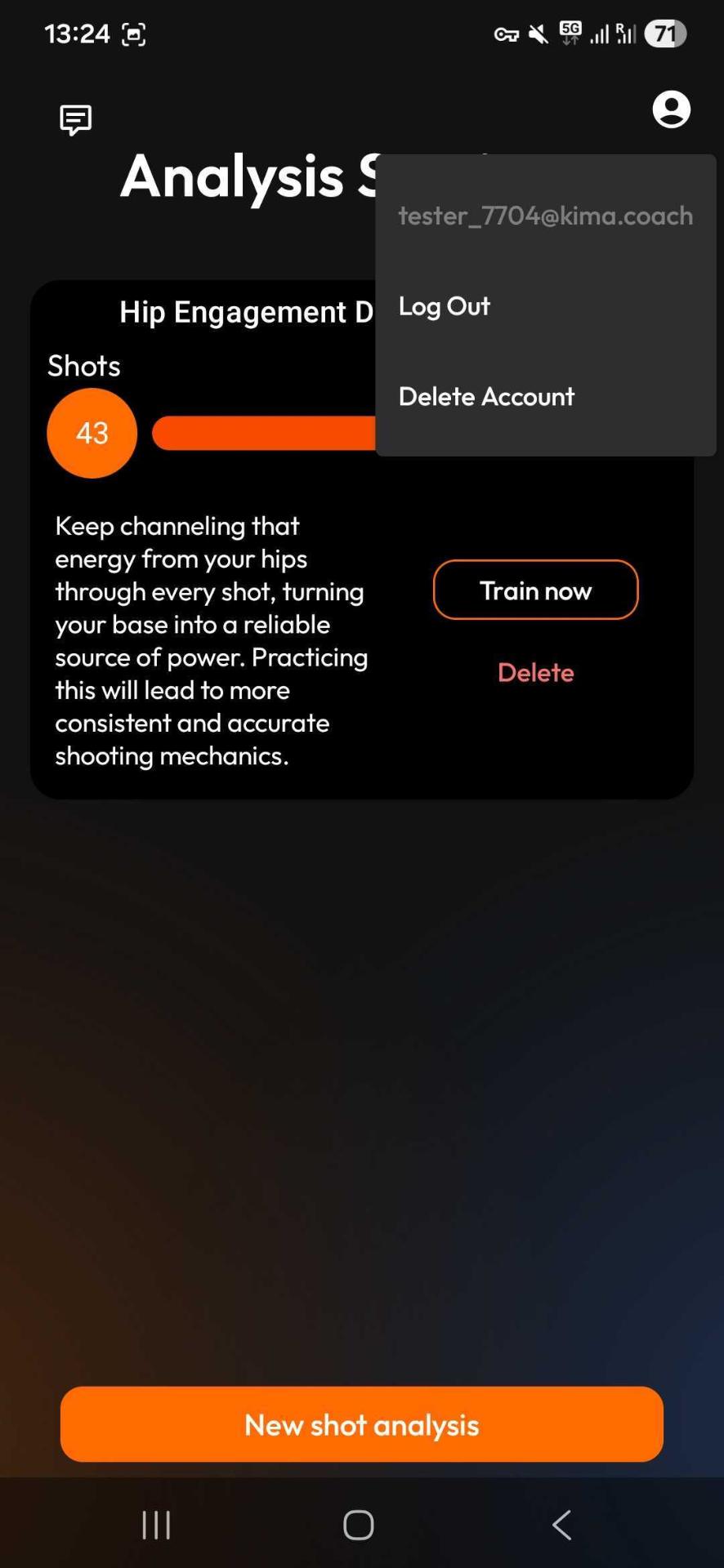
Open the Kima app and navigate to your Analysis Sessions page. Tap the profile icon in the top-right corner of the screen.
Step 2: Select Delete Account
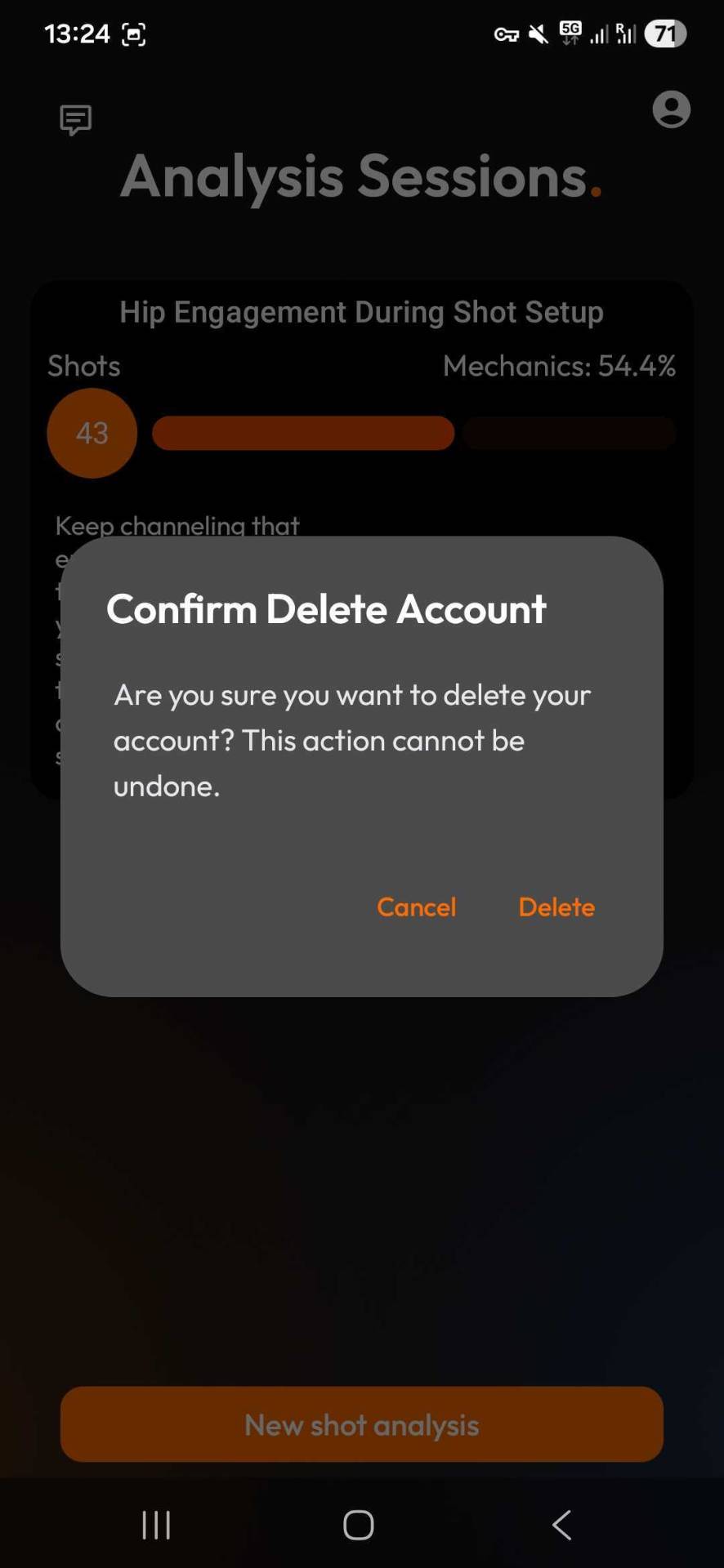
From the profile menu, tap on "Delete Account". A confirmation dialog will appear asking you to confirm this action.
Step 3: Confirm Deletion
Read the confirmation message carefully. Deleting your account is permanent and cannot be undone. All your data, including:
- Shot analysis history
- Training sessions
- Personal statistics
- Account preferences
will be permanently deleted.
If you're sure you want to proceed, tap the "Delete" button to confirm.
⚠️ Important Note
Account deletion is permanent and cannot be reversed. Make sure you've backed up any important data before proceeding. If you change your mind, you'll need to create a new account.
Need More Help?
If you're experiencing issues or have questions, our support team is here to help.
Contact Support